
Submission reports
Submission summary reports are provided by the Bacs service at the point of submission and are used to feed back information on payments so that you can follow up with your customers accordingly.
-
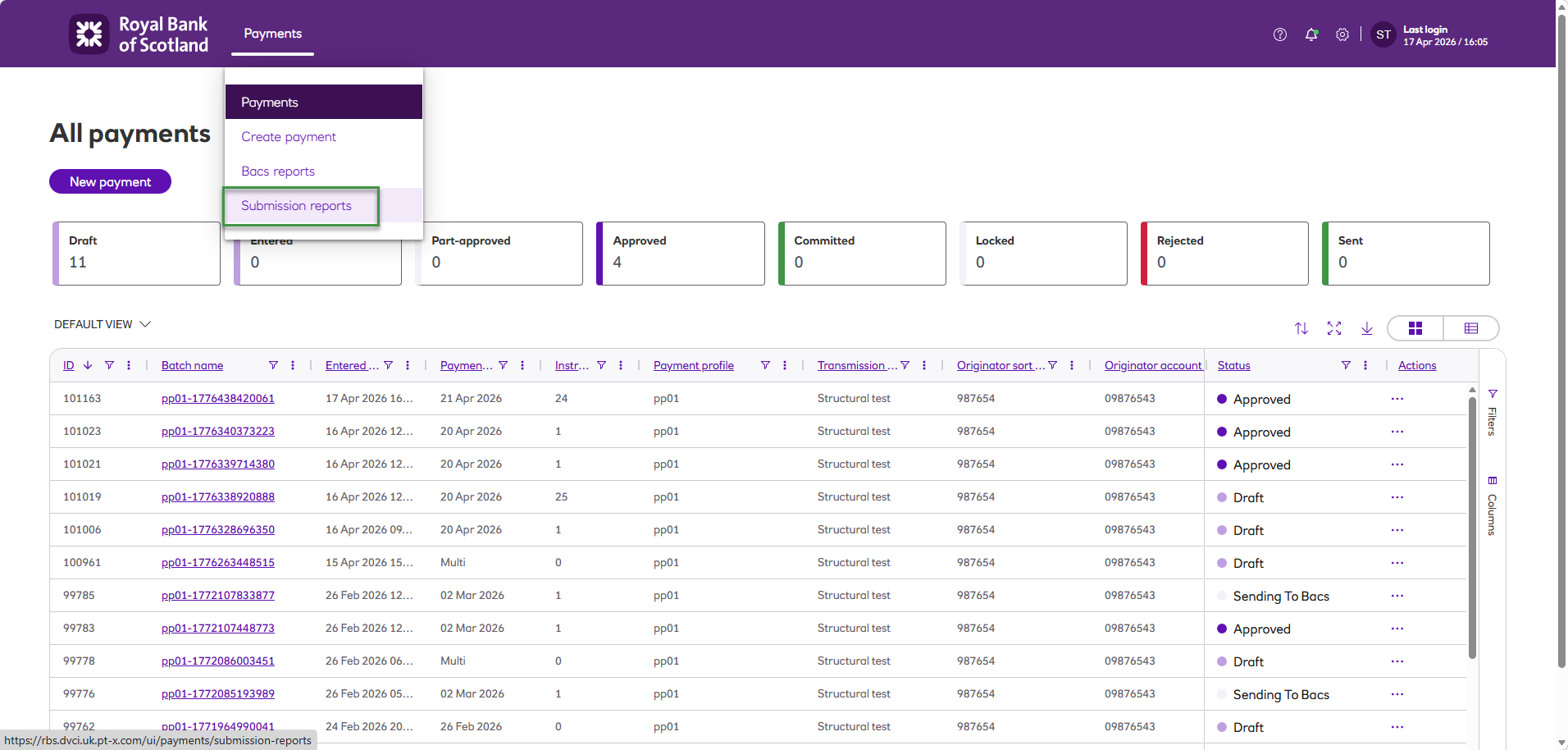
From the Payments menu, click Submission reports.
-
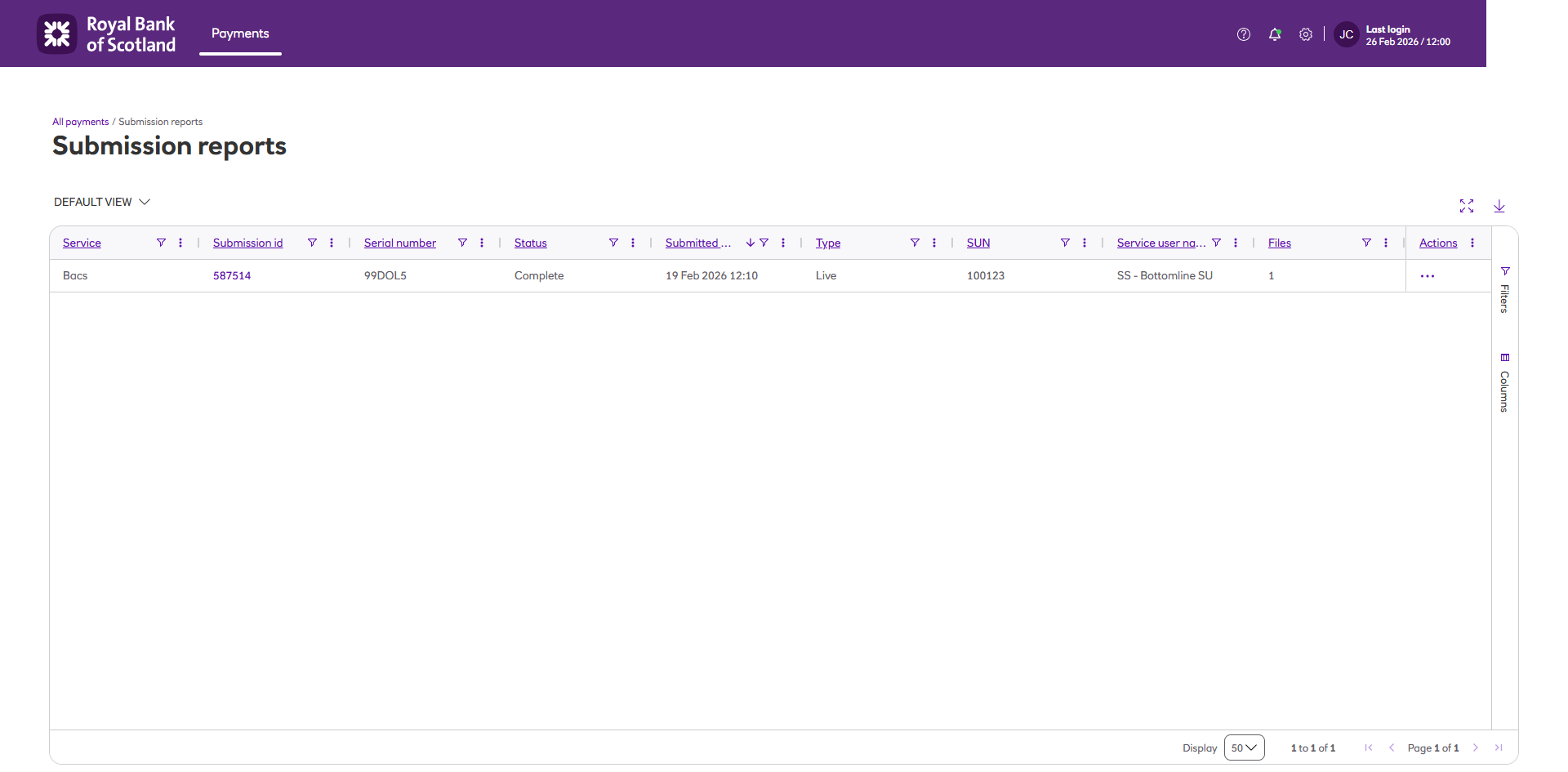
The Submission reports are displayed.
-
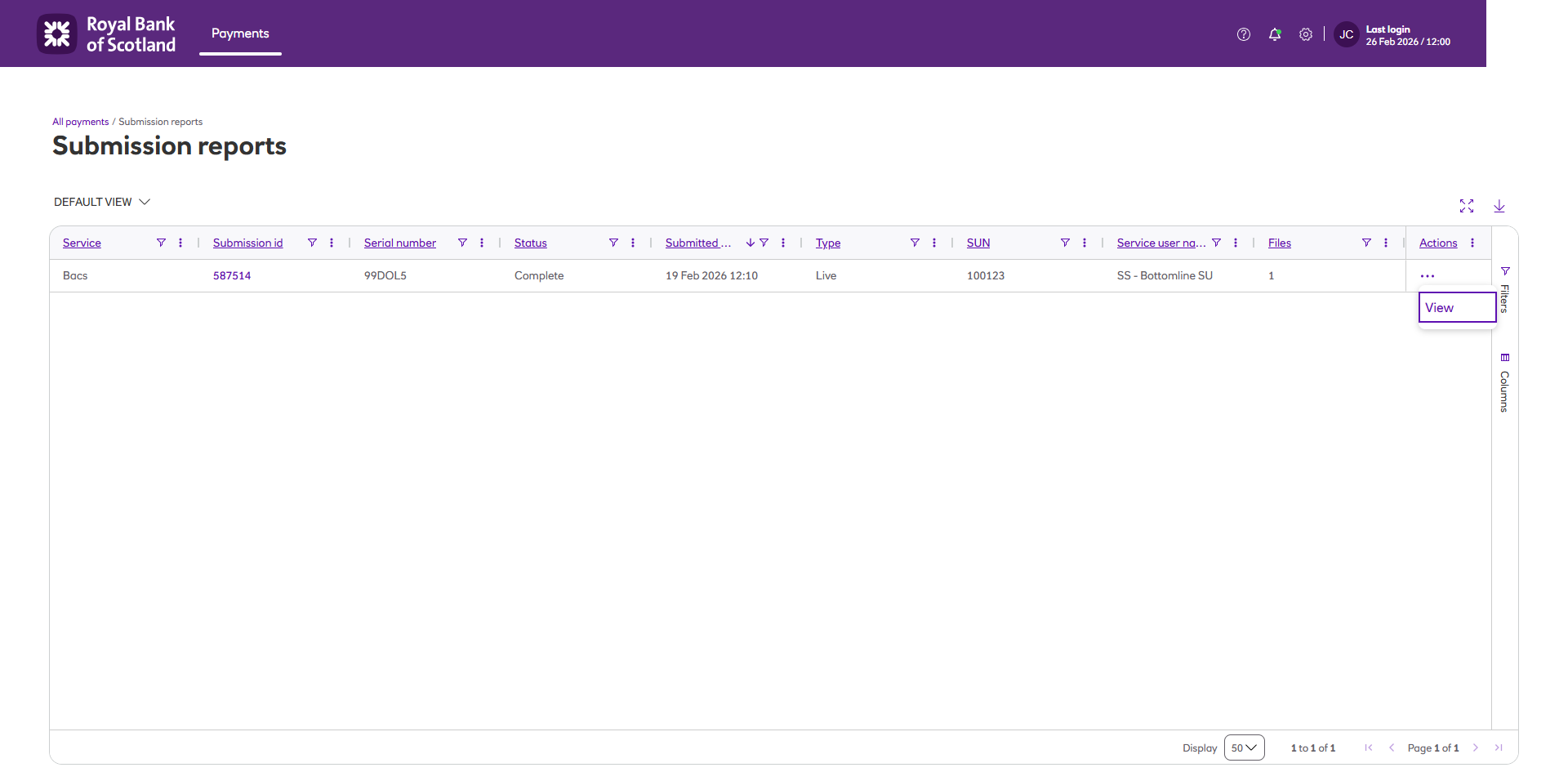
Click View on the Actions column to see the report details.
-
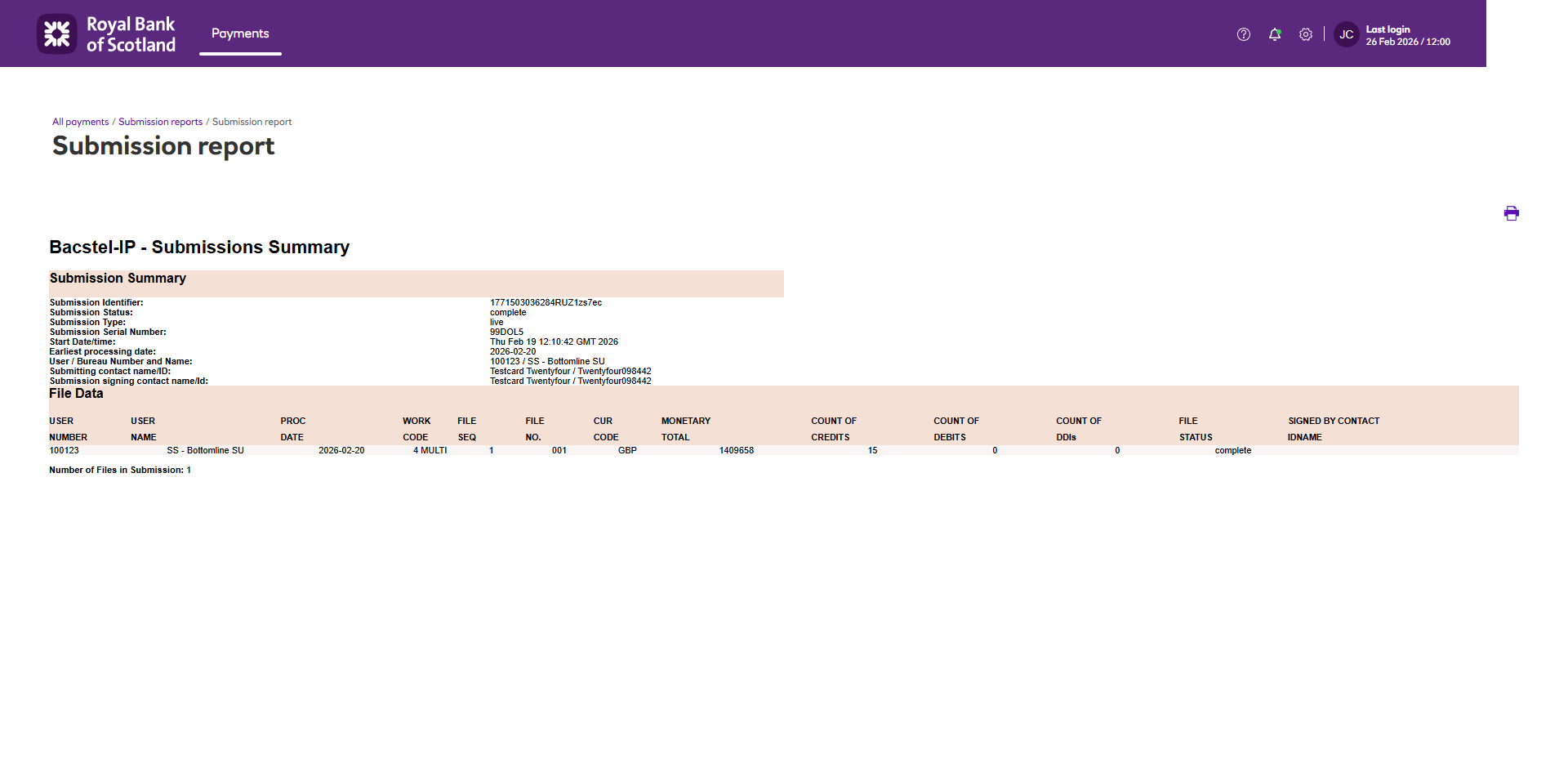
The report details are displayed.
Updated 5 months ago
Did this page help you?